
{
“@context”: “https://schema.org”,
“@type”: “FAQPage”,
“mainEntity”: [
{
“@type”: “Question”,
“name”: “Step 1: Motor nameplate parameters (P1 group)”,
“acceptedAnswer”: {
“@type”: “Answer”,
“text”: “Parameter Setting Notes P1.1 Motor Nominal Voltage Per nameplate (e.g. 400 V) Set to actual line voltage P1.2 Motor Nominal Current Per nameplate (e.g. 14.0 A) Critical for overload protection P1.3 Motor Nominal Frequency 50 Hz or 60 Hz Per motor P1.4 Motor Nominal Speed Per nameplate RPM Per motor P1.5 Motor Power Factor (cos phi) Per nameplate For vector control mode”
}
},
{
“@type”: “Question”,
“name”: “Step 2: Run the auto-tune (P1.6)”,
“acceptedAnswer”: {
“@type”: “Answer”,
“text”: “For sensorless vector control mode (default), run the auto-tune to identify the motor’s electrical parameters. The drive will inject test signals into the motor and measure the stator resistance and leakage inductance. The motor must be uncoupled from the load (or have a very low load) for accurate auto-tune results. Typical auto-tune time: 30 to 60 seconds. The drive displays \”Auto-tune complete\” when done.”
}
},
{
“@type”: “Question”,
“name”: “Modbus Register Map (Common Registers)”,
“acceptedAnswer”: {
“@type”: “Answer”,
“text”: “Register Function R/W 40001 (Holding 1) Control Word R/W 40002 (Holding 2) Speed Reference (0-10000 = 0-100%) R/W 40003 (Holding 3) Reserved — 40004 (Holding 4) Status Word R 40005 (Holding 5) Output Frequency (0.01 Hz units) R 40006 (Holding 6) Output Current (0.1 A units) R 40007 (Holding 7) Motor Speed (RPM) R 40008 (Holding 8) DC Bus Voltage (V) R For B2B system integrators, the most important registers are 40001 (control), 40002 (speed reference), 40005 (output frequency for monitoring), an…”
}
},
{
“@type”: “Question”,
“name”: “Can the DG1 control a permanent magnet (PM) motor?”,
“acceptedAnswer”: {
“@type”: “Answer”,
“text”: “Yes — the DG1 supports PM motor control mode. Configure P1.1.8 = PM motor, then run the auto-tune. Note that PM motor control requires accurate rotor position feedback for low-speed operation.”
}
},
{
“@type”: “Question”,
“name”: “What is the maximum cable length between the DG1 and the motor?”,
“acceptedAnswer”: {
“@type”: “Answer”,
“text”: “For unshielded cable, 50 m. For shielded cable, 100 m. Beyond that, install a sine-wave output filter (Eaton DX-SFI series) to reduce voltage reflection at the motor terminals.”
}
},
{
“@type”: “Question”,
“name”: “Does the DG1 support fieldbus protocols other than Modbus?”,
“acceptedAnswer”: {
“@type”: “Answer”,
“text”: “The standard DG1 supports Modbus RTU and Modbus TCP. Profinet, EtherCAT, and Ethernet/IP are supported with the addition of the DG1-ECAT / DG1-PN option cards.”
}
},
{
“@type”: “Question”,
“name”: “Can two DG1 drives synchronize to a common speed reference?”,
“acceptedAnswer”: {
“@type”: “Answer”,
“text”: “Yes — by setting both drives to Modbus reference (P2.1 = 3) and broadcasting the same speed reference register from a master PLC. Most B2B applications use this for multi-pump stations or multi-fan arrays.”
}
}
]
}
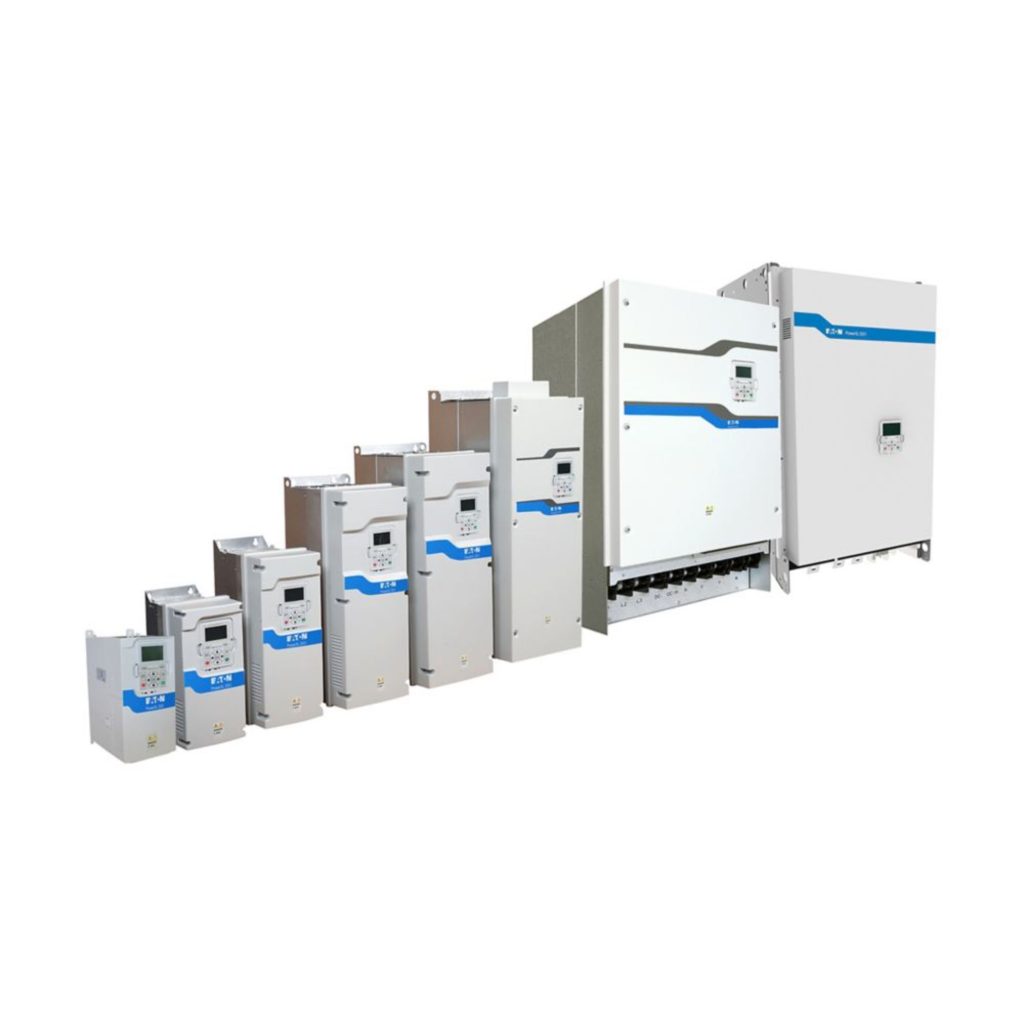
The Eaton PowerXL DG1 is a general-purpose variable frequency drive (VFD) used worldwide for 0.75 kW to 160 kW industrial motor speed control. The DG1 family supports sensorless vector control, V/Hz control, and permanent magnet motor control, with onboard Modbus RTU and Modbus TCP communication as standard.
This B2B programming guide covers the most common DG1 commissioning tasks — motor parameter setup, acceleration / deceleration curves, reference source selection, digital I/O configuration, and basic Modbus TCP / RTU integration.
1. DG1 Drive Family Overview
The Eaton DG1 VFD family is available in two supply voltage classes:
| Frame | Voltage | Power Range | Typical B2B Application |
|---|---|---|---|
| DG1-3… (Frame 1-4) | 380 – 480 V, 3-phase | 0.75 – 160 kW | Industrial machinery, pumps, fans |
| DG1-2… (Frame 1-4) | 200 – 240 V, 3-phase | 0.75 – 75 kW | OEM machine builders (low-voltage markets) |
Common B2B catalog numbers:
- DG1-35062FN-C21C — 480 V, 6.2 A (approximately 3 kW), IP21 enclosure, Modbus TCP + RTU
- DG1-35100FN-C21C — 480 V, 10 A (approximately 5.5 kW), IP21
- DG1-35140FN-C21C — 480 V, 14 A (approximately 7.5 kW), IP21
- DG1-35220FN-C21C — 480 V, 22 A (approximately 11 kW), IP21
2. Before You Power On: Pre-Commissioning Checklist
Before commissioning a DG1 drive, verify the following:
- Supply voltage matches the drive’s input voltage rating (e.g. 380 V vs 480 V)
- Motor nameplate data is available: voltage, full-load current, RPM, power factor, frequency
- Wiring — power input, motor output, control terminals, and protective earth are all connected per the wiring diagram in the user manual
- Cooling — the drive has at least 100 mm clearance above and below for airflow (Frame 2 and larger)
- Motor rotation — ensure the motor shaft is decoupled from the load for the first test, in case the rotation direction is reversed
For a B2B installation team, the most common DG1 commissioning mistake is connecting the motor without first setting the motor nameplate parameters in the drive. This results in poor torque performance and possible drive trips on overload.
3. Motor Parameter Setup
After power-on, the DG1’s first-time startup wizard prompts for the motor nameplate parameters. Set these in the order shown:
Step 1: Motor nameplate parameters (P1 group)
| Parameter | Setting | Notes |
|---|---|---|
| P1.1 Motor Nominal Voltage | Per nameplate (e.g. 400 V) | Set to actual line voltage |
| P1.2 Motor Nominal Current | Per nameplate (e.g. 14.0 A) | Critical for overload protection |
| P1.3 Motor Nominal Frequency | 50 Hz or 60 Hz | Per motor |
| P1.4 Motor Nominal Speed | Per nameplate RPM | Per motor |
| P1.5 Motor Power Factor (cos phi) | Per nameplate | For vector control mode |
Step 2: Run the auto-tune (P1.6)
For sensorless vector control mode (default), run the auto-tune to identify the motor’s electrical parameters. The drive will inject test signals into the motor and measure the stator resistance and leakage inductance. The motor must be uncoupled from the load (or have a very low load) for accurate auto-tune results.
Typical auto-tune time: 30 to 60 seconds. The drive displays “Auto-tune complete” when done.
4. Reference Source Configuration
The DG1 can take its speed reference from several sources. Configure P2.1 (Reference Source):
- 0 = Keypad — manual setpoint using the local keypad
- 1 = Analog input AI1 — 0-10 Vdc or 4-20 mA (configurable, P2.2)
- 2 = Analog input AI2 — 4-20 mA, dedicated for process control
- 3 = Fieldbus (Modbus) — Modbus TCP or RTU reference from PLC / SCADA
- 4 = PID reference — for closed-loop process control (pressure, flow, level)
For B2B pump and fan applications, the most common reference source is analog input 4-20 mA, with PID control enabled (P2.7 = 1). For HVAC and OEM machine builder applications, the reference is typically Modbus from a PLC.
5. Acceleration and Deceleration Curves
Two parameters control the ramp behavior:
- P3.1 Acceleration Time 1 — time to ramp from 0 Hz to P1.7 (motor nominal frequency). Typical 10 to 30 seconds for pumps and fans.
- P3.2 Deceleration Time 1 — time to ramp from P1.7 to 0 Hz. Typical 10 to 30 seconds for pumps and fans.
For B2B applications, three rules of thumb:
- Longer ramps reduce inrush and mechanical stress — better for pumps, conveyors, fans
- Shorter ramps improve response time — required for mixers, extruders, machine tools
- Deceleration ramps shorter than 5 seconds require a dynamic braking resistor (especially for high-inertia loads)
For a 22 A DG1 driving a centrifugal pump, a 20-second acceleration and 30-second deceleration ramp is a good starting point.
6. Digital I/O Configuration
The DG1 has 6 digital inputs (DI1 to DI6) and 2 digital outputs (DO1, DO2). Common B2B configurations:
| Input | Function (typical) | Parameter |
|---|---|---|
| DI1 | Run enable / start | P4.1.1 = 1 |
| DI2 | Stop (NC contact) | P4.1.2 = 2 |
| DI3 | Reverse direction | P4.1.3 = 3 |
| DI4 | External fault (E-stop) | P4.1.4 = 4 |
| DI5 | Preset speed 1 | P4.1.5 = 5 |
| DI6 | Preset speed 2 | P4.1.6 = 6 |
For B2B panel builders, the most common DI assignment is DI1 = Run, DI2 = Stop, DI3 = Reverse, DI4 = External Fault. The other inputs are typically used for multi-speed control (preset speeds 1 to 4).
7. Modbus TCP / RTU Communication
For PLC-integrated applications, the DG1 supports Modbus RTU (RS-485) and Modbus TCP (Ethernet) as standard. Common B2B use cases:
- Pump station SCADA — a PLC reads DG1 status (current, speed, fault code) via Modbus TCP every 1 second, displays on HMI
- Building automation — the DG1 communicates with a building management system via Modbus RTU on a multi-drop RS-485 bus
- OEM machine control — the DG1 receives speed reference and run/stop commands from the machine PLC over Modbus
Modbus Register Map (Common Registers)
| Register | Function | R/W |
|---|---|---|
| 40001 (Holding 1) | Control Word | R/W |
| 40002 (Holding 2) | Speed Reference (0-10000 = 0-100%) | R/W |
| 40003 (Holding 3) | Reserved | — |
| 40004 (Holding 4) | Status Word | R |
| 40005 (Holding 5) | Output Frequency (0.01 Hz units) | R |
| 40006 (Holding 6) | Output Current (0.1 A units) | R |
| 40007 (Holding 7) | Motor Speed (RPM) | R |
| 40008 (Holding 8) | DC Bus Voltage (V) | R |
For B2B system integrators, the most important registers are 40001 (control), 40002 (speed reference), 40005 (output frequency for monitoring), and 40006 (output current for fault diagnosis).
8. Common DG1 Faults and Resolutions
| Fault Code | Description | Common Cause | Resolution |
|---|---|---|---|
| F1 | Overcurrent | Motor stalled, motor short circuit | Check motor and wiring, extend acceleration time |
| F2 | Overvoltage | Excessive regeneration on deceleration | Extend deceleration time, add braking resistor |
| F9 | Undervoltage | Input supply voltage too low | Verify input voltage, check supply transformer |
| F16 | Drive overtemperature | Insufficient cooling, fan failure | Clean heat sink, check fan operation |
| F22 | Modbus timeout | Communication cable break, PLC offline | Check RS-485 wiring, verify PLC is in run mode |
For the complete fault code list, see the Eaton DG1 user manual. Most B2B service calls are caused by F2 (overvoltage on deceleration) or F22 (Modbus timeout) — these can usually be resolved by adjusting the deceleration ramp or checking the communication cable.
9. Frequently Asked Questions
Can the DG1 control a permanent magnet (PM) motor?
Yes — the DG1 supports PM motor control mode. Configure P1.1.8 = PM motor, then run the auto-tune. Note that PM motor control requires accurate rotor position feedback for low-speed operation.
What is the maximum cable length between the DG1 and the motor?
For unshielded cable, 50 m. For shielded cable, 100 m. Beyond that, install a sine-wave output filter (Eaton DX-SFI series) to reduce voltage reflection at the motor terminals.
Does the DG1 support fieldbus protocols other than Modbus?
The standard DG1 supports Modbus RTU and Modbus TCP. Profinet, EtherCAT, and Ethernet/IP are supported with the addition of the DG1-ECAT / DG1-PN option cards.
Can two DG1 drives synchronize to a common speed reference?
Yes — by setting both drives to Modbus reference (P2.1 = 3) and broadcasting the same speed reference register from a master PLC. Most B2B applications use this for multi-pump stations or multi-fan arrays.
Conclusion
The Eaton DG1 VFD is a versatile, easy-to-program variable frequency drive suitable for the majority of industrial B2B applications from 0.75 kW to 160 kW. By following the commissioning workflow — set motor nameplate parameters, run the auto-tune, configure the reference source and digital I/O, and integrate with Modbus if required — B2B system integrators can deliver reliable motor speed control in a single afternoon.
For project quotations, technical datasheets, or B2B volume pricing on the Eaton PowerXL DG1 family, contact our team or browse the full DG1 product catalog online.
Pingback: Eaton DILM Contactors vs EMR Relays vs ETR Protection Relays: What’s the Difference? - eatonty
Pingback: Choosing an Eaton Authorized Distributor in China: 5 Factors B2B Buyers Must Know - eatonty